How do I know my auto repair shop is really making money when expenses keep changing?
The profit number in your shop software never matches what lands in your bank account. Here's how Nolavi works through it, the same way a good mechanic works on a car: find the concern, the cause, the correction, then verify the fix.
Every month Nate had a different answer to "how are we doing?" Fuel, supplies, insurance and parts prices kept shifting, and he had no single number he could trust.
Where you stand, updated every day.
2
The cause
His shop system tracked repair orders. His bank tracked deposits. Nobody tracked overhead in real time, so true profit was always a guess from last month's numbers, not today's.
Caught the day the bill arrived.
3
The correction
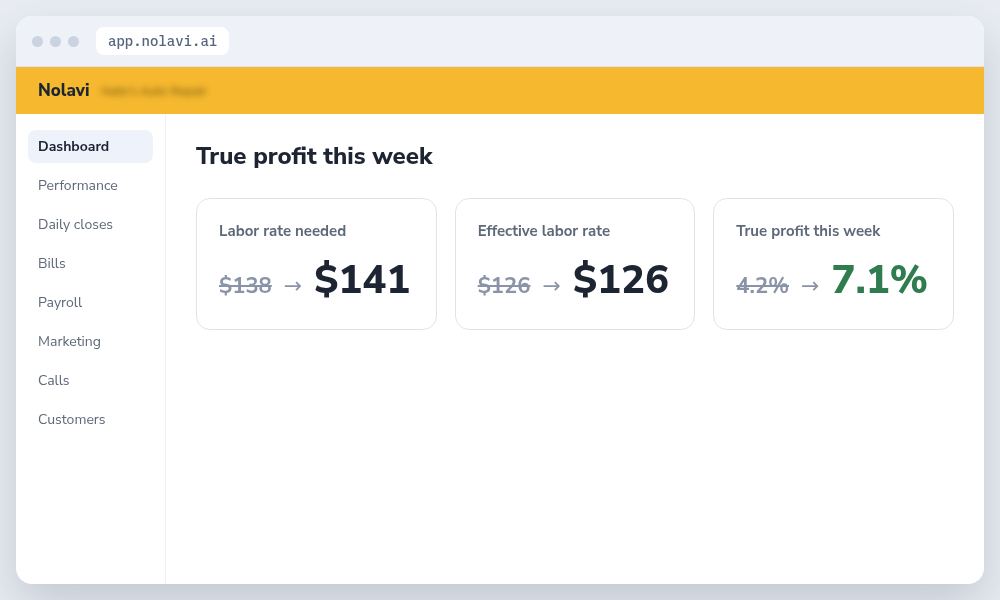
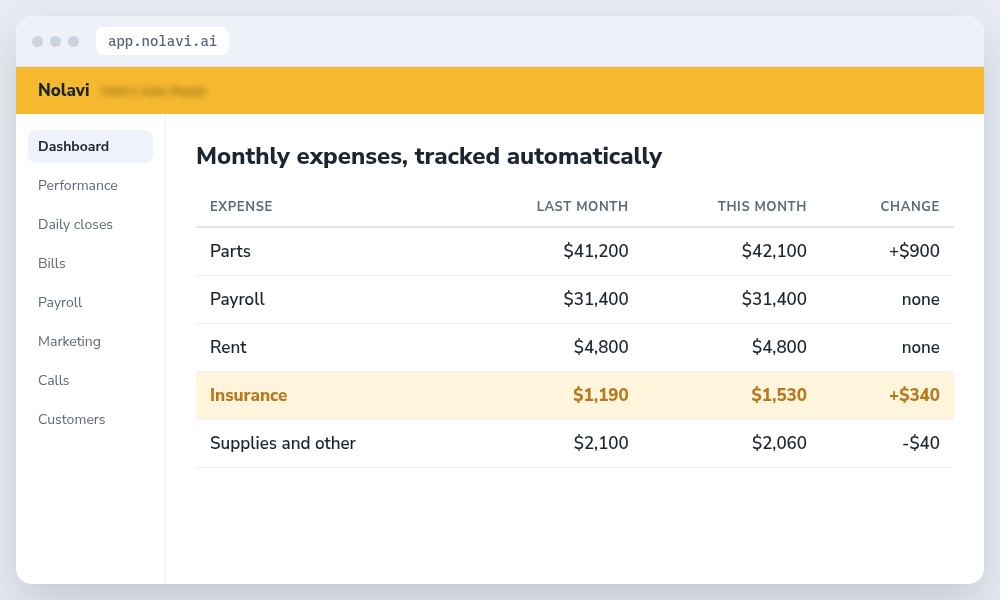
Nolavi logs every bill as it arrives and matches it to the week it covers. It recalculates the labor rate the shop needs to hit its profit goal whenever a bill changes, and shows true profit on the dashboard every day. The owner sees whether the shop is on track, below or above goal, without opening a spreadsheet.
4
The verification
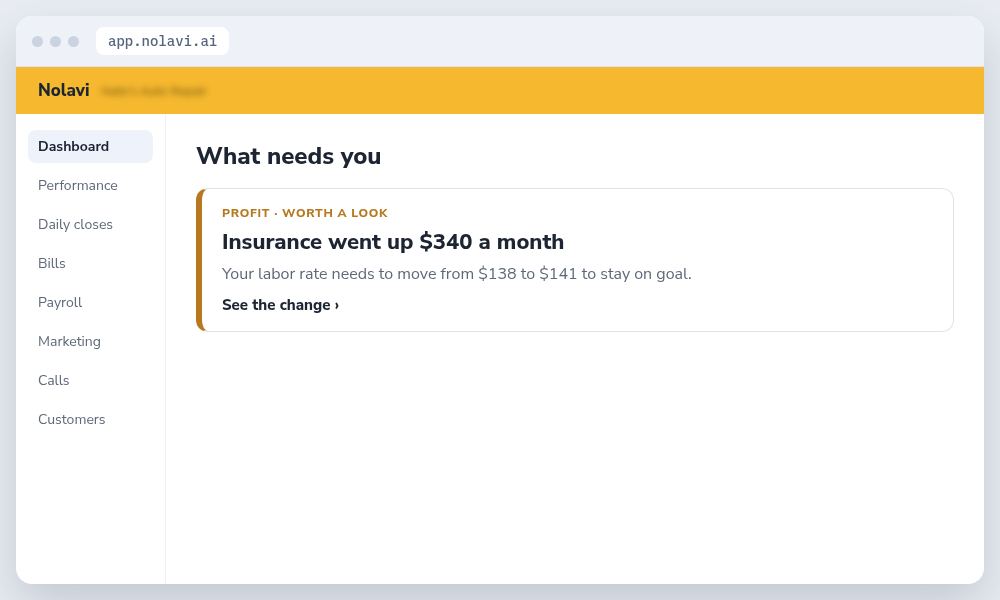
Within 8 weeks Nate stopped guessing. His true profit number in Nolavi matched his bank to within 2% each month. When his insurance renewal raised the premium by $340, Nolavi flagged the labor rate change needed the same day and he raised two job prices before the next week started.
Every bill logged. One change flagged.
How we work. We make changes like this for shops all the time, using each shop's own data. The numbers shown are examples.
Auto repair shop coaching from your own numbers. Nolavi sends a plain report every Monday with the moves worth making next. See how it works
Questions
Quick answers.
Why doesn't my shop software show real profit?
Most shop software tracks repair orders and parts costs, not overhead. Bills, insurance, rent and payroll live in other systems. Nolavi pulls them together so true profit is always current.
How often should I check my shop's profit?
Every week. Monthly is too late to act on most problems. Nolavi shows the number every day and flags when it drifts from your goal.
Open the demo and find this kind of problem in a minute. Or book your 14 day free trial: it starts with a quick call, and we set it all up and fit it to your shop.
 Nolavi