Guides · Office

My books are months behind. How do I catch up?

You know the books are behind, and every week it gets harder to look. Here's how Nolavi works through it, the same way a good mechanic works on a car: find the concern, the cause, the correction, then verify the fix.
1

The concern

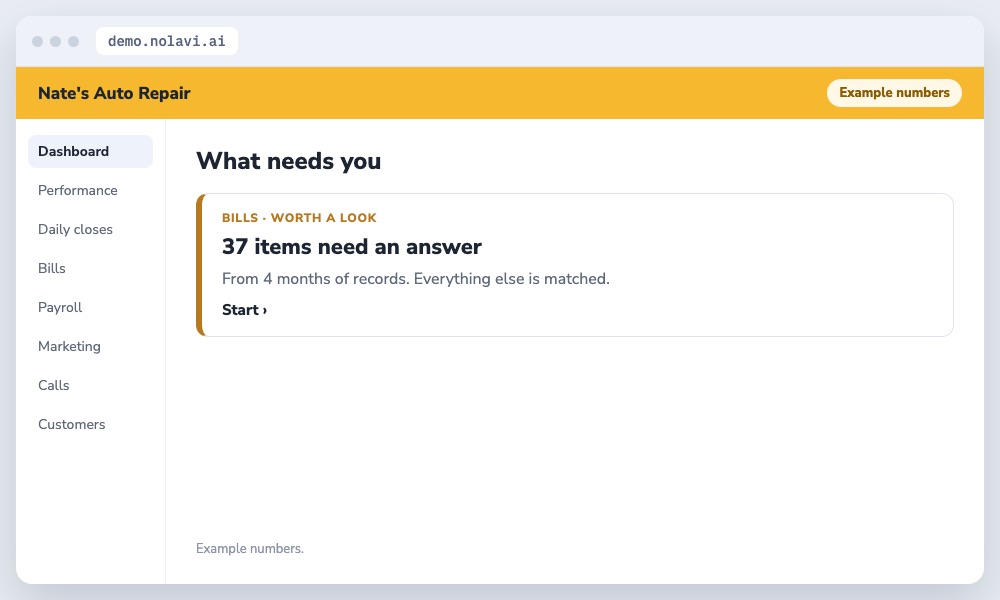
Nate's books were four months behind and his bookkeeper needed everything sorted before tax time.

Nolavi list of 37 items needing the owner after catching up four months of auto repair shop books
Thousands matched, 37 left.
2

The cause

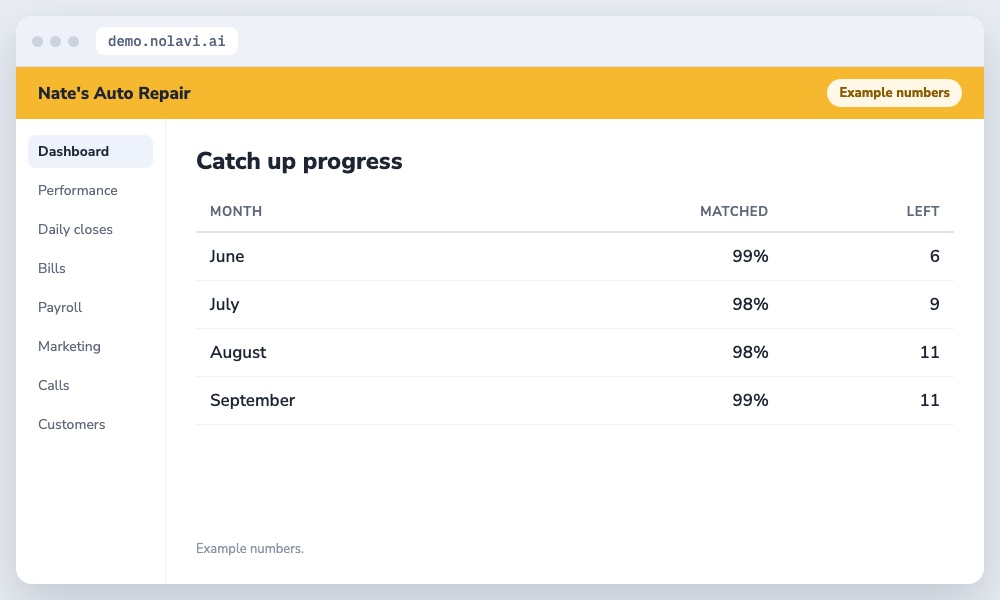
Bills, deposits and receipts were spread across email, a shoe box and the shop system, with nothing matched.

Table of bookkeeping catch up progress by month for an auto repair shop
Four months, nearly done.
3

The correction

Nolavi pulled four months of bank, card and vendor data and matched it to repair orders, leaving only the items that needed a human answer.

4

The verification

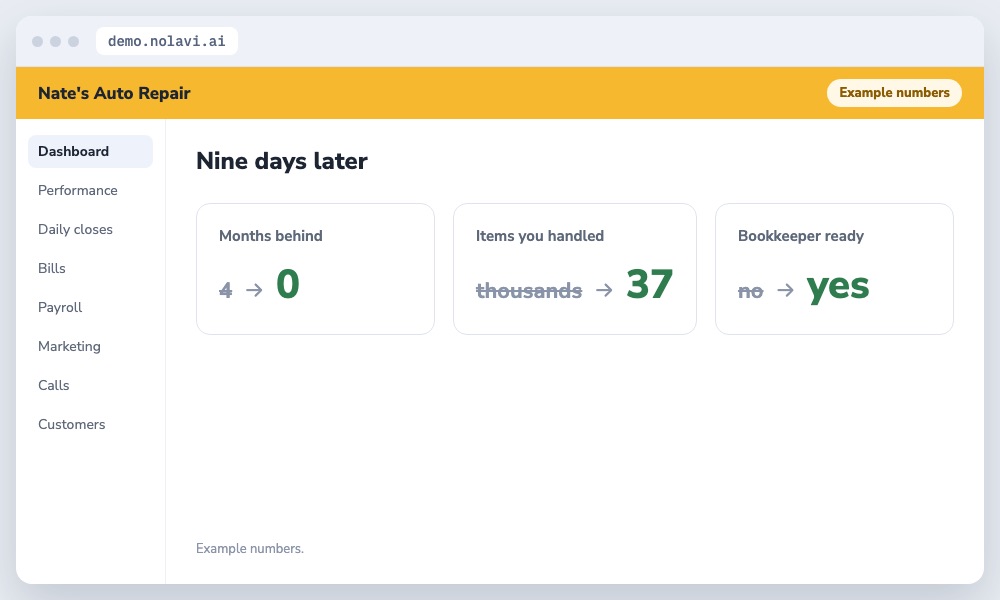
Four months were caught up in nine days. Only 37 items needed Nate's input, and his bookkeeper got clean, matched records.

Auto repair bookkeeping catch up results in nine days
Caught up, and staying that way.

How we work. We make changes like this for shops all the time, using each shop's own data. The numbers shown are examples.

Questions

Quick answers.

How do I catch up on months of bookkeeping?

Pull bank, card and vendor data together and match it automatically. Then handle only what doesn't match.

How do I keep from falling behind again?

Match bills and close each day as it happens, not at month end.

Keep reading

See it for yourself.

Open the demo and find this kind of problem in a minute. Or book your 14 day free trial: it starts with a quick call, and we set it all up and fit it to your shop.

Try the live demo