My auto repair Google Ads get clicks but no phone calls. Why?
Google says people clicked. Your phone says nobody called. Here's how it played out at our sample shop, the way a mechanic works a car: concern, cause, correction, verification.
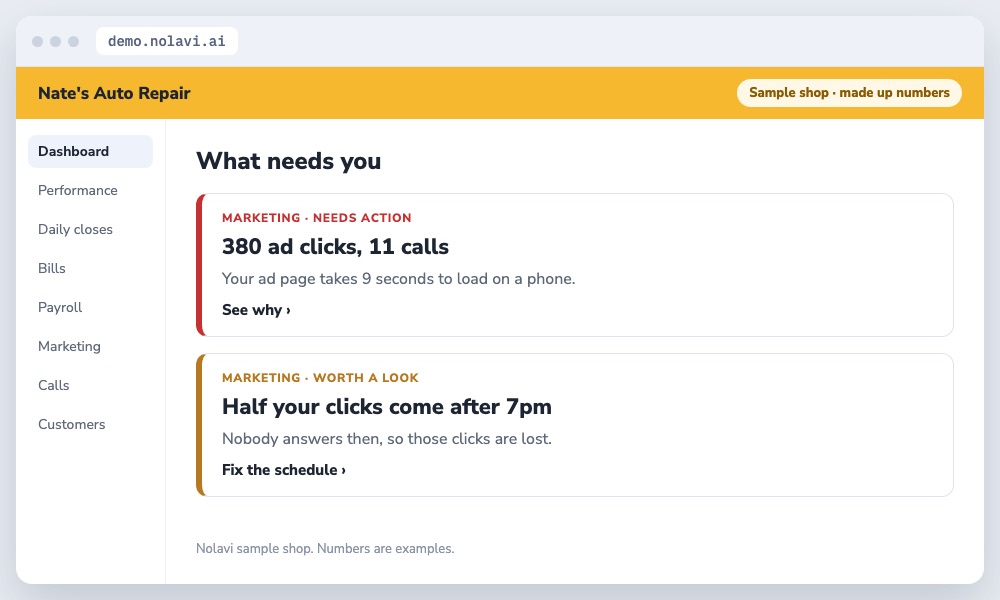
Nate's ads got 380 clicks last month and only 11 calls.
Two problems, found from the data.
2
The cause
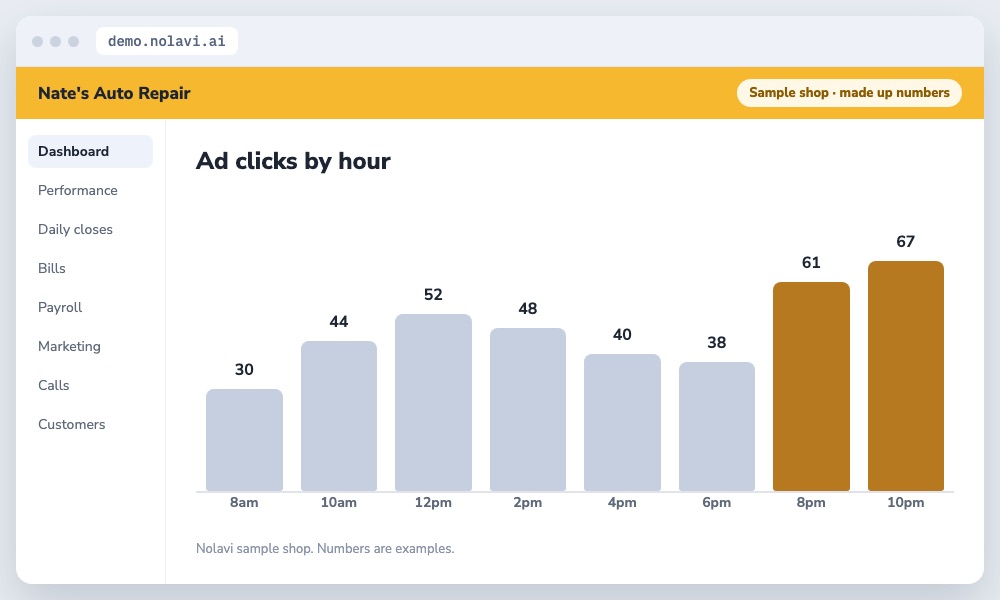
Nolavi checked where the clicks landed. The ads sent people to the home page, which took 9 seconds to load on a phone and hid the phone number. Half the clicks also came after 7pm, when nobody answered.
Many clicks came after the shop closed.
3
The correction
We built a fast brake repair page with a big call button, and set the ads to run only while the shop answers the phone.
4
The verification
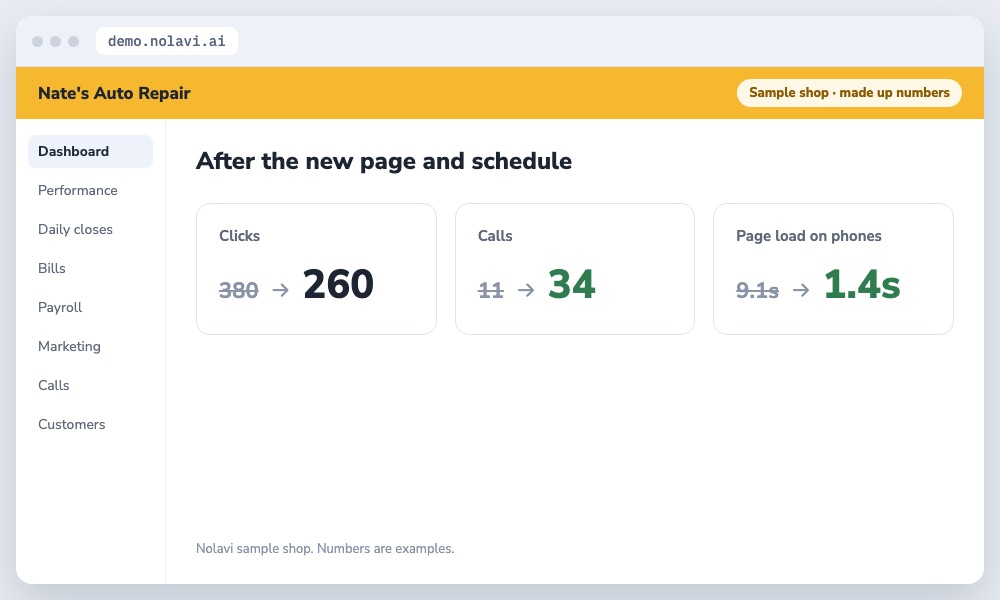
Calls from ads went from 11 to 34 a month on fewer clicks. Every call is tracked from the ad to the repair order.
Fewer clicks, three times the calls.
Example shop. Nate's Auto Repair is Nolavi's sample shop with made up numbers. The steps are exactly how Nolavi works on a real shop's data.
Questions
Quick answers.
Why do my ads get clicks but no calls?
The page is slow, the number is hard to find, or the ads run when nobody answers. Check all three.
Should my ads go to my home page?
No. Send each ad to a page about that exact job, with a call button at the top.
Open the demo and find this kind of problem yourself in a minute. Or book your 14 day free trial: it starts with a quick call, and we set it all up and fit it to your shop.
 Nolavi