Which searches should an auto repair shop block in Google Ads?
Google keeps showing your ads to people who will never be your customer. Here's how it played out at our sample shop, the way a mechanic works a car: concern, cause, correction, verification.
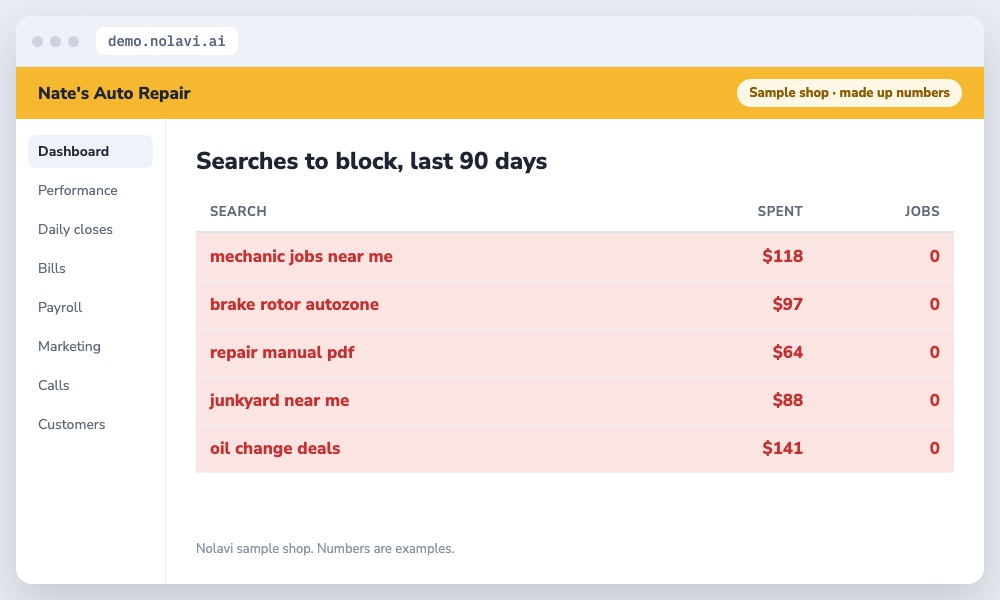
Nate didn't know what searches his ads were showing up for.
Every one of these cost money and booked nothing.
2
The cause
Nolavi pulled every search from the last 90 days and matched each one to calls and repair orders. Jobs, parts stores, manuals, salvage yards and "free" anything were eating 23% of the budget.
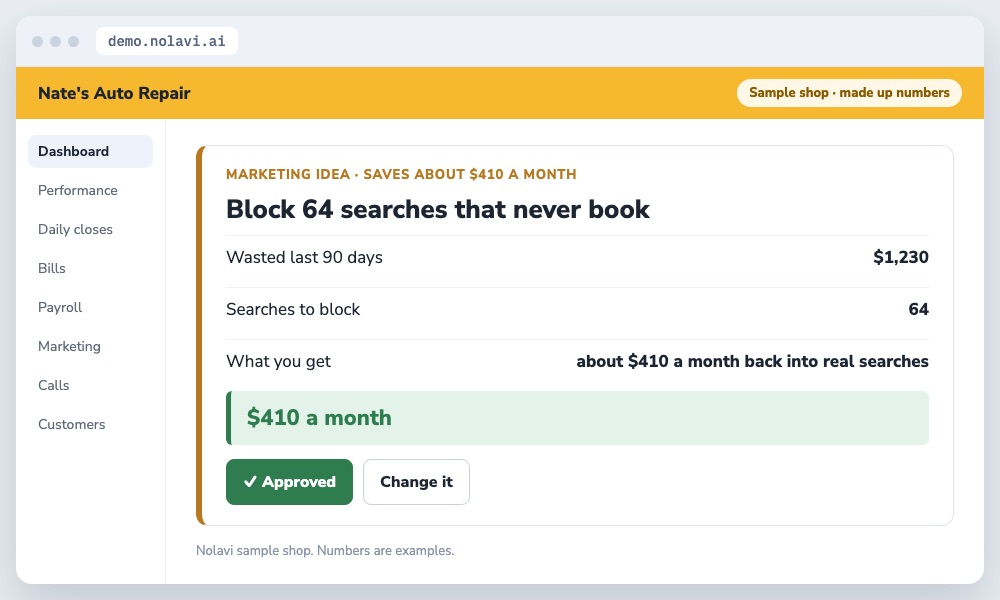
Approved in one tap.
3
The correction
We blocked 64 searches in one go, with Nate's approval, and set Nolavi to flag new ones every week.
4
The verification
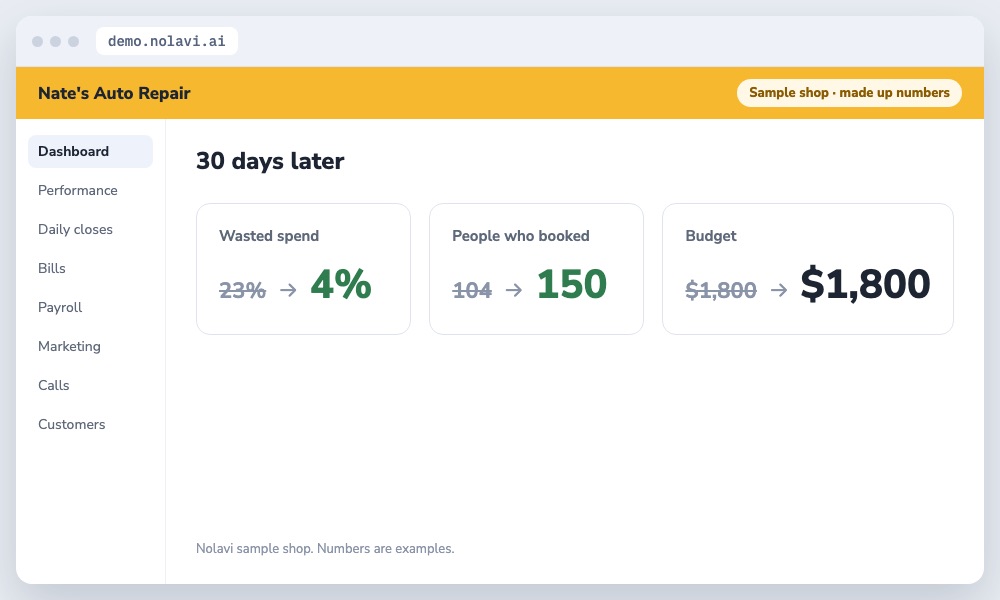
In the next 30 days the same budget reached 46 more people who booked, and wasted spend fell from 23% to 4%.
Same money, aimed better.
Example shop. Nate's Auto Repair is Nolavi's sample shop with made up numbers. The steps are exactly how Nolavi works on a real shop's data.
Questions
Quick answers.
What are negative keywords?
Searches you tell Google never to show your ads for. For shops, think jobs, parts, manuals and do it yourself.
How often should I check my search terms?
Weekly. New wasted searches show up all the time. Nolavi checks them for you.
Open the demo and find this kind of problem yourself in a minute. Or book your 14 day free trial: it starts with a quick call, and we set it all up and fit it to your shop.
 Nolavi