Guides · Google Ads

How do I track calls from Google Ads to actual repair orders?

Google says you got 40 calls. You don't know how many became paying jobs. Here's how it played out at our sample shop, the way a mechanic works a car: concern, cause, correction, verification.

1

The concern

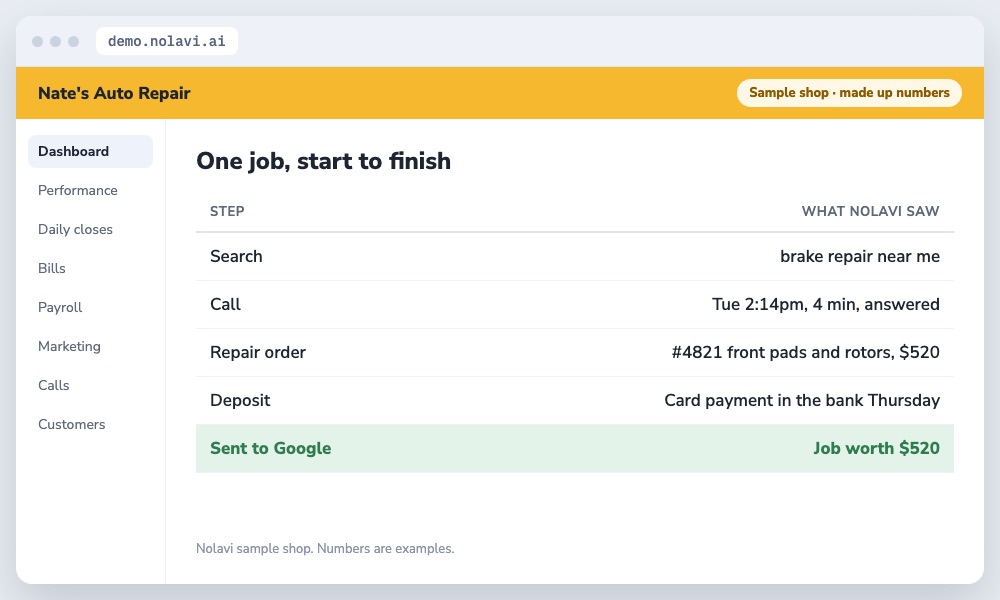
Nate had call tracking, but it stopped at the call. Nobody knew which calls became repair orders.

Nolavi record following one auto repair job from a Google Ads search to a call, repair order, deposit and back to Google
Every step, matched automatically.
2

The cause

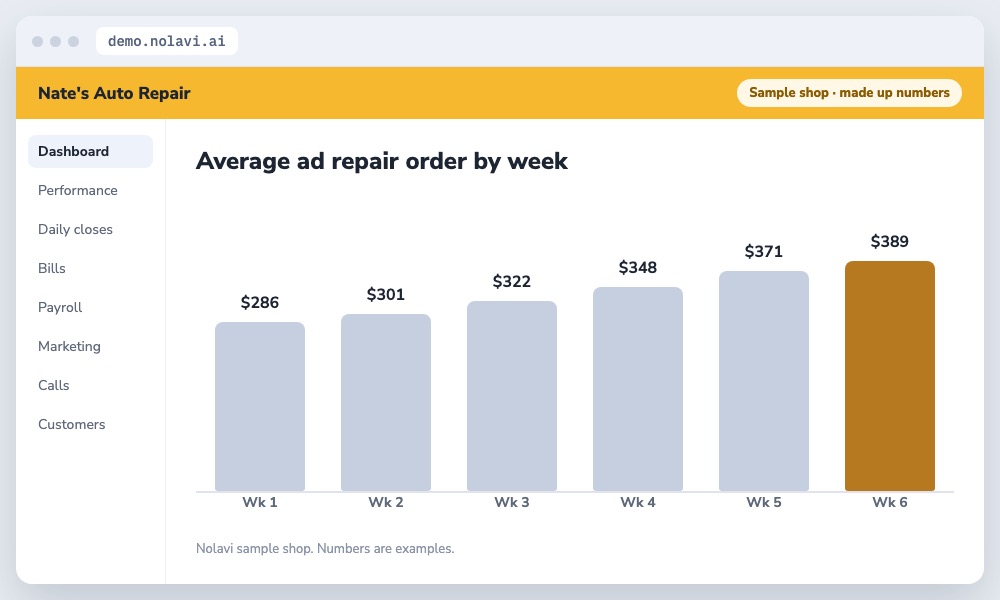
Without the link, Google treated a 30 second price check the same as a $1,200 brake and suspension job, and kept chasing the small calls.

Bar chart of rising average repair order from Google Ads after sending job values back to Google
Google learned which calls are worth more.
3

The correction

Nolavi matches each call to the repair order by phone number and date, then to the deposit in the bank, and sends the real job value back to Google.

4

The verification

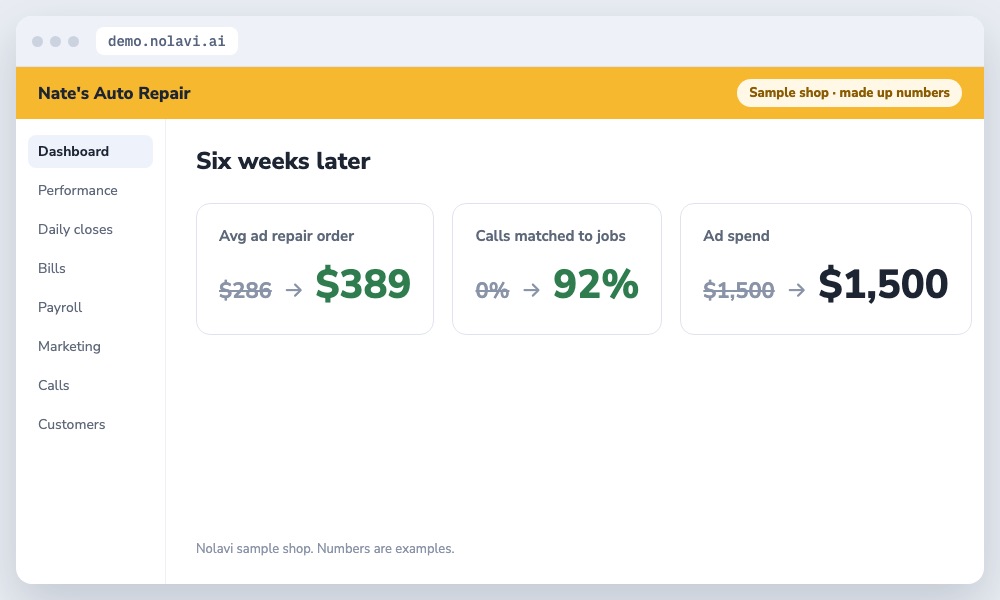
Within 6 weeks Google started favoring the searches that bring bigger jobs. Average ad repair order rose from $286 to $389.

Results of tracking Google Ads calls to repair orders: higher job value for the same spend
Same spend, bigger jobs.

Example shop. Nate's Auto Repair is Nolavi's sample shop with made up numbers. The steps are exactly how Nolavi works on a real shop's data.

Questions

Quick answers.

Can Google Ads know which calls became repair orders?

Yes, if you send the job value back to Google. That's called offline conversion import, and Nolavi does it for you.

Why does sending job values to Google help?

Google learns which searches lead to real money and puts more of your budget there.

Keep reading

See it on a sample shop.

Open the demo and find this kind of problem yourself in a minute. Or book your 14 day free trial: it starts with a quick call, and we set it all up and fit it to your shop.

Try the demo on a sample shop